

Elevating Consciousness Through Compassion

Featuring Special Guests: Andi Goldman, Lama Tashi, Chloe Goodchild with Jonathan Goldman

About this Panel

In this panel, you’ll explore…


- The benefits of compassion to assist health and wellness


- Compassion as a tool to enhance Oneness


- Reconnecting with deeper aspects of your consciousness


HOSTED BY

Jonathan Goldman

Jonathan Goldman is an international founding pioneer  in the field of sound healing.  He is a renowned writer, musician and teacher Jonathan is the author of numerous award winning books including Healing Sounds and The 7 Secrets of Sound Healing.  A Grammy nominee, his award winning recordings include:  “Chakra Chants”, “Ultimate Om” and “The Divine Name,”. He is the Founder and Director of the Sound Healers  Association and CEO of Spirit Music.  Website:  www.healingsounds.com

{{tiw.default.paragraph=You’ve chosen a terrific way of integrating images and text into your website. Move the image anywhere you want in this container and the text will automatically wrap around it. You can display events, team members, new products and more, easily and creatively. To start, add an image from the Image Picker and edit it as you would edit any image in the system. For example, you can link the image to existing pages in your site, a website URL, a popup or an anchor. After you’ve chosen the image, add your text. You can add text that describes the image you’ve selected or simply use the image for decorative purposes. You’ve chosen a terrific way of integrating images and text into your website. Move the image anywhere you want in this container and the text will automatically wrap around it. You can display events, team members, new products more easily and creatively. To start, add an image from the Image Picker and edit it as you would edit any image in the system. For example, you can link the image to existing pages in your site, a website URL, a popup or an anchor. After you’ve chosen the image, add your text. You can add text that describes the image you’ve selected or simply use the image for decorative purposes.}}

PANELISTS

Andi Goldman

Andi Goldman, is a licensed psychotherapist, specializing in holistic counseling and sound therapy.  She is the Director of the Healing Sounds® Seminars and Co- Director of the Sound Healers Association. A musician, teacher, author, and sound healer, Andi co-authored with her husband, Jonathan Goldman, the award winning books, Chakra Frequencies and The Humming Effect

Lama Tashi

Geshe Ngawang Tashi Bapu, better known as Lama Tashi has been Principal Chant Master of the Dalai Lama’s Drepung Loseling Monastery and served as Director of the Central Institute of Himalayan Culture Studies, in India.


Lama Tashi’s Tibetan “Deep Voice” is world-renowned. He was the first Tibetan Buddhist monk to be nominated for a Grammy with his recording of “Tibetan Master Chants”. He is a renowned scholar and speaker on subjects regarding compassion, wisdom, and other intricate areas of Tibetan Buddhist teachings. He is winner of the 2023 Visionary Award for Best Online Audio Series with "Tibetan Secrets of Happiness".

Chloe Goodchild
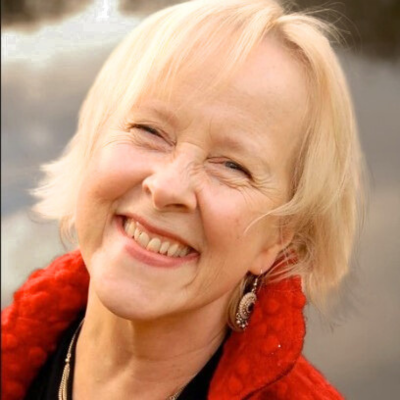
Chloe Goodchild creates communities of sound - online and in-person - called  ‘singing fields’ - for the practice of authentic communication - spoken and sung - leading to caring & compassionate relationships.  


A Grammy nominated vocalist, Chloë has numerous albums including "Sura" and "Fierce”. Chloë is creator of “The Naked Voice” workshops, CDs and DVDs and author of The Naked Voice autobiography. 

{{tiw.default.paragraph=You’ve chosen a terrific way of integrating images and text into your website. Move the image anywhere you want in this container and the text will automatically wrap around it. You can display events, team members, new products and more, easily and creatively. To start, add an image from the Image Picker and edit it as you would edit any image in the system. For example, you can link the image to existing pages in your site, a website URL, a popup or an anchor. After you’ve chosen the image, add your text. You can add text that describes the image you’ve selected or simply use the image for decorative purposes. You’ve chosen a terrific way of integrating images and text into your website. Move the image anywhere you want in this container and the text will automatically wrap around it. You can display events, team members, new products more easily and creatively. To start, add an image from the Image Picker and edit it as you would edit any image in the system. For example, you can link the image to existing pages in your site, a website URL, a popup or an anchor. After you’ve chosen the image, add your text. You can add text that describes the image you’ve selected or simply use the image for decorative purposes.}}