

The Belief Codes to Heal Ourselves & the Planet

Featuring Special Guest: Dr. Bradley Nelson with Ken D. Foster

About this Panel

In this conversation, you’ll discover…


- How to release emotional baggage underlying imbalances


- How to discard limiting beliefs that can harm our health


- How to renew your energy and the ability to flourish


HOSTED BY

Ken D. Foster
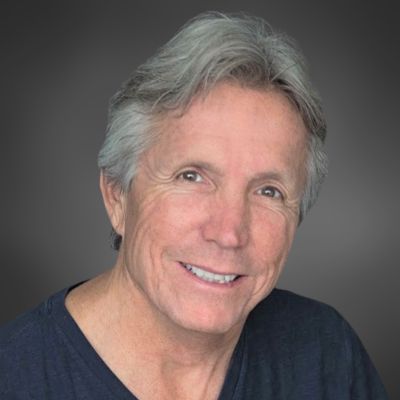
Ken D Foster is a transformational leader, master business strategist, and human potential expert. He is a best-selling author and changemaker who helps people take the path of courage to realize their essence, see the unseeable, know the unknowable, and do the impossible as they maximize their highest potential.

{{tiw.default.paragraph=You’ve chosen a terrific way of integrating images and text into your website. Move the image anywhere you want in this container and the text will automatically wrap around it. You can display events, team members, new products and more, easily and creatively. To start, add an image from the Image Picker and edit it as you would edit any image in the system. For example, you can link the image to existing pages in your site, a website URL, a popup or an anchor. After you’ve chosen the image, add your text. You can add text that describes the image you’ve selected or simply use the image for decorative purposes. You’ve chosen a terrific way of integrating images and text into your website. Move the image anywhere you want in this container and the text will automatically wrap around it. You can display events, team members, new products more easily and creatively. To start, add an image from the Image Picker and edit it as you would edit any image in the system. For example, you can link the image to existing pages in your site, a website URL, a popup or an anchor. After you’ve chosen the image, add your text. You can add text that describes the image you’ve selected or simply use the image for decorative purposes.}}

PANELISTS

Dr. Bradley Nelson

Dr. Bradley Nelson is the developer of some of the most advanced forms of energy medicine on the planet. As a holistic Chiropractic Physician and Medical Intuitive, Dr. Nelson is one of the foremost experts in the emerging fields of Bioenergetic Medicine and Energy Psychology. He is the founder and CEO of Discover Healing, the author of two best-selling energy healing books, The Emotion Code and The Body Code, and the creator of three advanced energy healing Certification Courses — certifying practitioners in the Emotion Code, the Body Code, and the Belief Code. These energy healing methods developed by Dr. Nelson are now used by more than 13,000 practitioners in more than 80 countries across the globe.


Dr. Brad Nelson is also an acclaimed and popular speaker on the international seminar circuit and now travels to many countries around the globe, teaching seminars on the Emotion Code, Body Code, and Belief Code. He has been a guest on over 1,000 radio and television shows, documentaries, and live appearances, and has presented his very timely message to millions around the world.


His mission in life is to empower people worldwide with these energy healing modalities so they can free themselves from past hurts, improve their ability to love unconditionally, take control of their health, and live a fulfilling life on their own terms.


{{tiw.default.paragraph=You’ve chosen a terrific way of integrating images and text into your website. Move the image anywhere you want in this container and the text will automatically wrap around it. You can display events, team members, new products and more, easily and creatively. To start, add an image from the Image Picker and edit it as you would edit any image in the system. For example, you can link the image to existing pages in your site, a website URL, a popup or an anchor. After you’ve chosen the image, add your text. You can add text that describes the image you’ve selected or simply use the image for decorative purposes. You’ve chosen a terrific way of integrating images and text into your website. Move the image anywhere you want in this container and the text will automatically wrap around it. You can display events, team members, new products more easily and creatively. To start, add an image from the Image Picker and edit it as you would edit any image in the system. For example, you can link the image to existing pages in your site, a website URL, a popup or an anchor. After you’ve chosen the image, add your text. You can add text that describes the image you’ve selected or simply use the image for decorative purposes.}}